
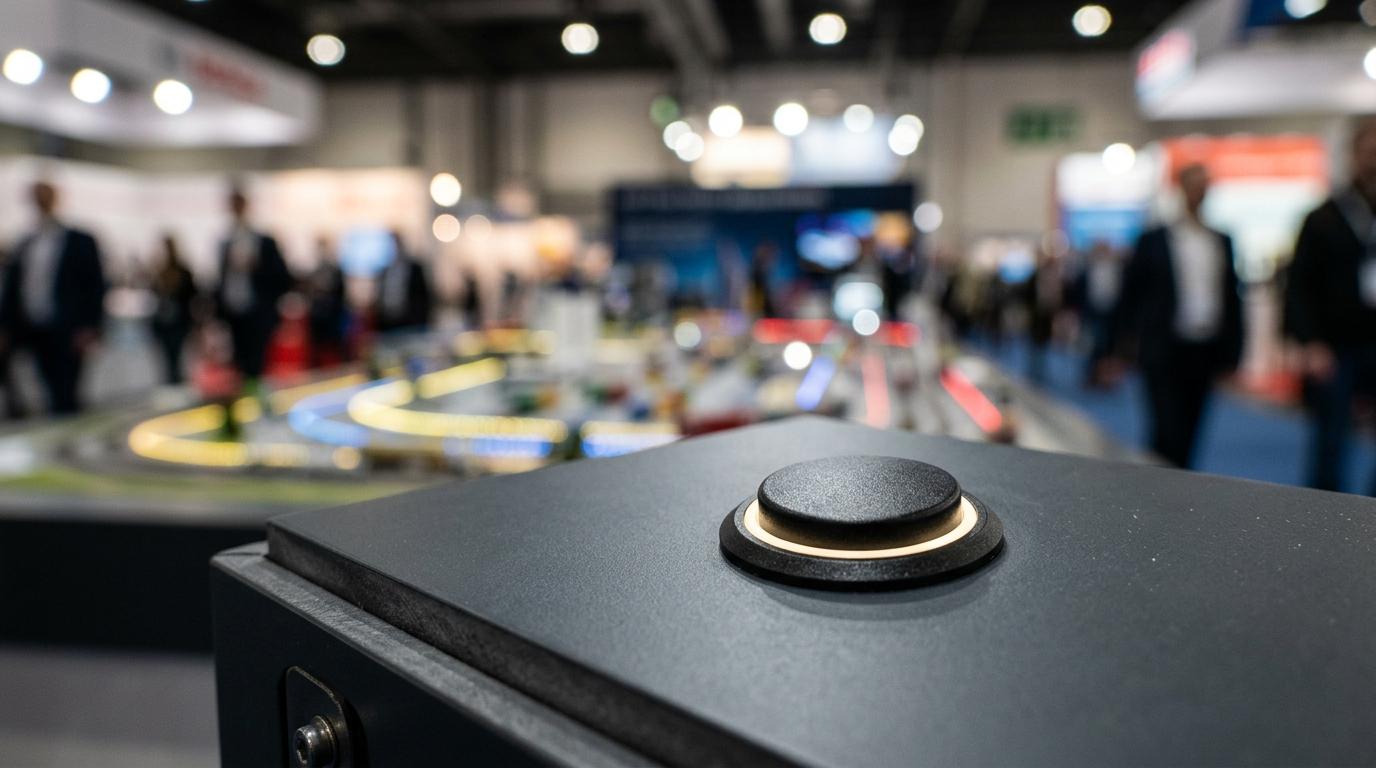
Interactive display models are most effective when a viewer needs to grasp a complex place, product, or process quickly. They turn a physical model into an active communication tool through lighting, motion, touch, or digital overlays.
### TL;DR: Summary
* Interactive display models are best used in architectural presentations, trade shows and exhibitions, museums, education spaces, and client meetings where the goal is to attract attention and explain complex information fast.
* A 2024 study with 200 participants found AR interactive display models improved interactivity, immersion, learning effectiveness, and visitor satisfaction versus traditional methods, with p < 0.001 and Cohen’s d > 0.8.
* Physical interactive models work better than static boards when scale, sequence, or spatial relationships matter, and they often work better than screen-only displays when groups need shared, face-to-face discussion.
* The most successful display models keep controls simple, match the interaction to a decision or learning goal, and use durable materials suited to sunlight, dust, and long exhibition periods.
* If the venue is a trade show or client meeting, prioritise visibility, transport, setup, and repeat use; if the venue is a museum or school, prioritise repeat use, safe handling, and learning flow.
Used well, an interactive model does two jobs at once: it stops people walking past, and it helps them understand what they are seeing without a long explanation. That is why the best uses tend to sit in settings where attention is scarce and complexity is high.
What are interactive display models?
Interactive display models are physical scale models that respond to user input through elements like LED lighting, moving parts, touch panels, or AR overlays. In architecture and industry, common triggers include push buttons, touchscreens, and hand detection sensors.
A static model shows form. An interactive model shows form plus behaviour. That difference matters when the subject is a transport system, a development phasing plan, a factory workflow, or a museum story that depends on sequence and cause-and-effect.
A common misconception is that placing a screen next to a model makes it interactive. It does not. The interaction needs a real link between the viewer’s action and the model’s response, whether that response is light, movement, projection, sound, or a digital layer that changes in sync with the physical object.
Firms such as ARI Model combine physical fabrication with lighting and digital control when a display model needs to present both fine detail and active storytelling.
"ARI Model has delivered 499+ models in 17 countries since 2000, a useful proof point when display models must travel, install, and present reliably."
Why do interactive display models outperform static displays in busy venues?
Interactive display models outperform static displays when attention is limited and the message is spatial. In trade shows and museums, physical activation points give visitors a reason to stop, look closer, and ask questions.
The mechanism is simple. Movement, changing light, or direct control creates a moment of agency. People do not just observe the display; they test it. That small shift often produces better recall because the model becomes part of a live exchange rather than a passive visual.
There is now good evidence behind that effect. A 2024 study published in Computer Science and Information Systems used hand detection sensors and 3D modelling with 200 randomly assigned participants. The AR interactive display model showed statistically significant gains in interactivity, immersion, learning effectiveness, and overall satisfaction, with p < 0.001 and large effect sizes above Cohen’s d 0.8.
One practical tip is to keep the first interaction obvious. If people need instructions before they can engage, footfall drops. In a busy venue, the best trigger is usually visible from two or three metres away and readable in seconds.
What are the best uses of interactive display models?
Interactive display models are most valuable where complexity, visibility, and quick comprehension meet. Architectural presentations, logistics, exhibitions, and education are the strongest use cases.
- Architectural presentations
They help clients understand massing, circulation, façade lighting, landscaping, and phasing without reading a long technical pack.
- Trade shows and exhibitions
They create a stopping point on the stand and give sales teams a shared object to talk through with visitors.
- Client meetings
They make option comparison easier, especially when the audience is mixed and not every stakeholder reads plans fluently.
- Industrial and logistics demonstrations
They are ideal for process-heavy subjects such as cargo movement, automation flow, plant layout, or equipment sequencing.
- Museums and cultural heritage displays
They support learning by linking a physical object with active investigation, which is especially useful for layered historical or scientific stories.
- Educational settings
They help learners connect theory with three-dimensional form, sequence, and scale in a way that flat diagrams often cannot.
The supported takeaway is consistent across these settings: interactive display models are most useful when the aim is to attract attention and help people understand something complex quickly.
How should you plan an interactive display model for a trade show?
A strong trade-show display model starts with the visitor question, not the feature list. In Munich, Birmingham, or Cannes, stand traffic rewards clarity before detail.
Step 1 is to define the one message a passing visitor should understand in under 30 seconds. That might be “this rail system reduces transfer friction” or “this development connects housing, retail, and transit”. If the message is unclear, extra lighting and motion will only decorate confusion.
Step 2 is to choose one or two interactions that support that message. If the story is route logic, use light paths. If the story is a mechanical process, use a moving component or sequence trigger. If the story is optional configurations, use selectable scenarios. A frequent mistake is trying to demonstrate every capability in one model.
Step 3 is to design for transport, setup, and repeat use. Exhibition models need durable materials, protected controls, accessible service points, and simple reset behaviour. If a moving part jams or a touchscreen loses sync, the stand team needs a quick recovery path.
ARI Model has built an interactive Cargo Beamer display model for the Transport Logistic fair in Munich, which is a practical example of using a model to make a logistics concept legible in a crowded exhibition setting.
"ARI Model created an interactive Cargo Beamer display model for the Transport Logistic fair in Munich, showing how a physical model can support logistics storytelling on the stand floor."
How do interactive display models compare with digital-only screens?
Interactive display models usually beat digital-only screens when physical scale and shared viewing matter. A touchscreen alone is strong for depth; a model is stronger for presence, orientation, and group discussion.
Screens are excellent when content changes often, when you need multiple languages, or when datasets must update quickly. They are less effective when viewers need to read space instinctively. People understand height, distance, adjacency, and movement paths faster from a physical object than from a sequence of slides.
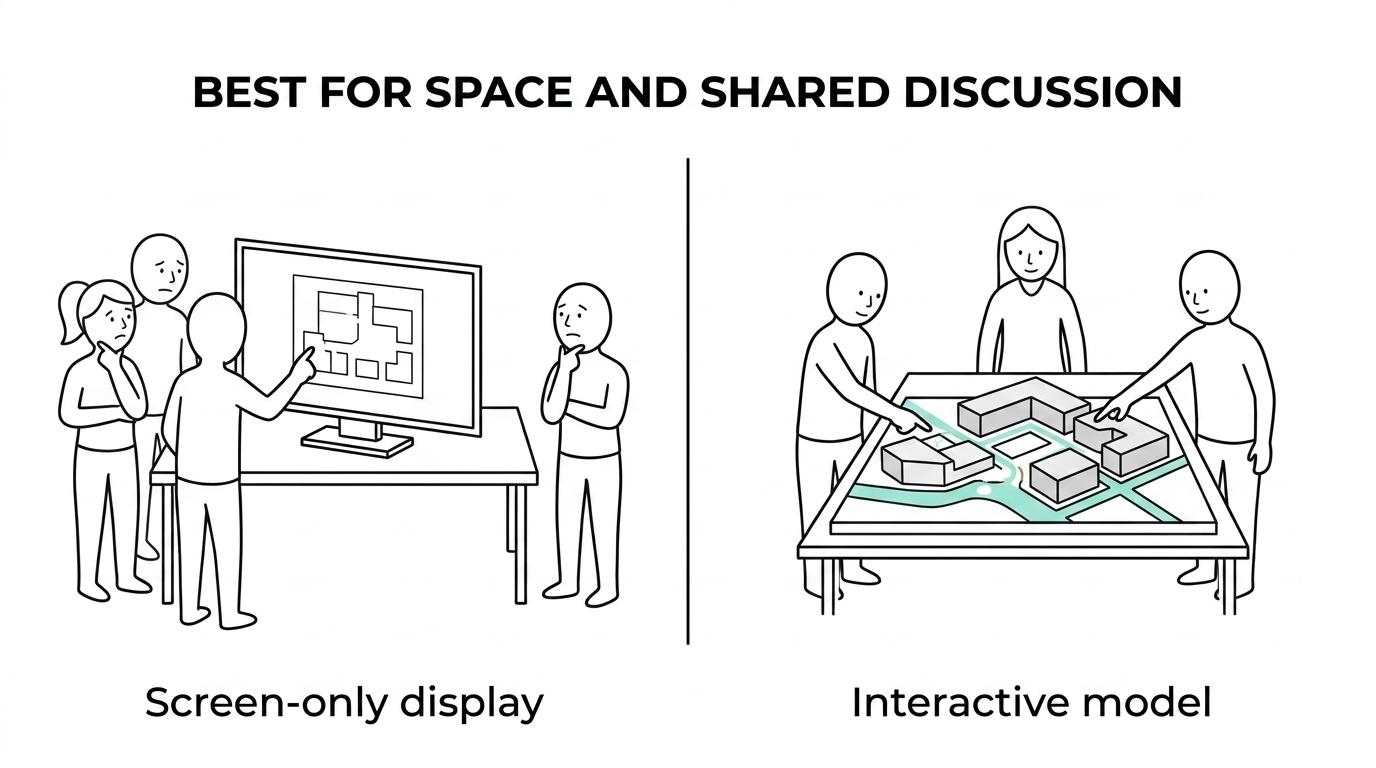
The best answer is often hybrid. A physical model handles massing and spatial logic, while a digital layer handles optional content, data, or alternative scenarios. Museums already use this pattern well. The Natural History Museum uses an interactive digital touchscreen alongside fossil specimens, casts, and a scientifically accurate Neanderthal model, showing how physical and digital elements can reinforce each other rather than compete.
If the display is mainly for a solo user, a screen-heavy approach may be enough. If it is for a small group gathered around a table or plinth, a model usually creates better conversation.
How can interactive display models help in client meetings and planning approvals?
Interactive display models help meetings when stakeholders need a shared view of options, constraints, and trade-offs. Architects, developers, and urban planners can use them to make technical discussions faster and less abstract.
In client meetings, the model becomes a negotiation tool. People point to it, ask “what happens here?”, and compare choices in real time. That is harder to do with flat plans, especially when the room includes finance, marketing, engineering, and non-technical decision-makers.
Useful meeting tasks include:
- Compare massing options
- Show phased delivery
- Test lighting scenes
- Explain circulation routes
A useful tip is to make the interaction decision-based rather than decorative. If the client must choose between options, the model should switch clearly between Option A and Option B. Dynamic lighting, opening mechanisms, or vehicle movement should only be included when they answer an actual question in the room.
How should museums and education teams build an effective interactive display?
Museum and education teams should start with one learning objective per interaction. The Natural History Museum and recent AR research both point to the same principle: interactivity works best when it clarifies a specific concept.
Step 1 is to define the learning action. A visitor might compare anatomical traits, trace a route, or reveal hidden structure. The interaction should map directly to that action. Random tapping is not learning design.
Step 2 is to pair the physical model with a simple input method. The 2024 study used hand detection sensors and 3D modelling to let participants manipulate virtual objects directly. Terms like Leap Motion, gesture input, and AR overlay matter here, but only if they reduce friction rather than add novelty.
Step 3 is to test repeat use in real visitor conditions. Museums and schools need robust controls, quick reset times, and safe surfaces. The same study found the interactive approach supported social interaction and reduced digital fatigue, which is especially helpful for gallery settings where groups learn together.
A common mistake is assuming that more digital layers mean better engagement. In fact, one strong interaction linked to one clear object often outperforms a crowded interface.
Which features matter most in architectural and industrial display models?
The most important features are the ones that clarify the message. In ARI Model-style architectural and industrial work, lighting, movement, and control logic usually matter more than decorative complexity.
Feature choice should follow use case. A property marketing model may need façade lighting, landscaped context, and option switching. An industrial display may need process flow, sectional cutaways, and automatic opening mechanisms. The model is not a menu of effects; it is a communication system.
Key features often break down like this:
- Lighting: shows phasing, circulation, zoning, or building identity
- Movement: explains process, mechanism, or sequence
- Touch control: lets users choose routes, scenarios, or layers
- AR overlay: adds data or hidden systems without cluttering the model
- Sound or narration: useful only when ambient noise and timing allow it
Material and visual restraint matter as well. If everything lights up at once, the eye loses hierarchy. Good display models tell viewers where to look first.
How do materials, lighting, and environment affect long-term display performance?
Materials and environmental planning directly affect reliability. Sunlight, dust, long display periods, and repeated handling can degrade both appearance and function if they are ignored at the start.
ARI Model’s architectural presentation guidance points to the right criteria: material choices should be guided by extended display periods, sunlight exposure, dust, and durability concerns. That matches common exhibition practice. Acrylics, stable painted finishes, protected electronics, and accessible service zones tend to perform better than fragile decorative detailing in public settings.
Lighting also needs discipline. LEDs should support visibility without causing glare on transparent parts or washing out labels. If the venue has strong ambient light, then contrast and shielding become more important than maximum brightness. If the model will travel often, then modular wiring and protected connectors reduce maintenance risk.
Production capacity affects this stage more than many buyers expect. Fabrication, electronics, finishing, packing, and install planning work better when they are coordinated as one process.
"ARI Model operates 1,000 m² workshops in France and Germany, which is useful when fabrication, lighting integration, and delivery need one production chain."
How do you choose the right level of interactivity without making the model harder to use?
The right level of interactivity is usually lower than clients first imagine. A good display model feels intuitive, while an over-designed one needs supervision.
Step 1 is to rank the audience questions. If the top question is about orientation, add light-based guidance. If it is about hidden systems, add reveal layers or AR. If it is about sequence, add timed motion. Match one interaction to one question.
Step 2 is to test failure points before adding more features. If one button, one sensor, or one opening mechanism already answers the brief, stop there. More components mean more maintenance, more setup time, and more ways for the display to break at the wrong moment.
Step 3 is to think about who will operate the model day to day. If stand staff, sales teams, or museum guides need to reset it constantly, the interface must stay simple. If the public will self-serve, the trigger must be obvious and durable.
A useful rule is this: if removing a feature does not reduce comprehension, remove it. The best interactive display models feel clear, not crowded.